

The email told Alan he’d paid £389 to a company he’d never heard of. A retired postman in Stoke-on-Trent, he was halfway through his toast when the “PayPal receipt” landed, complete with a QR code to “dispute the charge”. His thumb hovered. Then he rang his daughter Kelly instead, and she showed him something better than deleting it. If you want to report a scam email in the UK, one forward to a free government address takes about a minute, and it genuinely hurts the people behind it.
Reporting a Scam Email at a Glance
| Main reporting address | report@phishing.gov.uk — free, takes about a minute |
| Who runs it | The National Cyber Security Centre (NCSC) |
| Reports so far | 58 million, with 256,000 scams taken down (July 2026) |
| Can’t forward it? | Send a screenshot to the same address |
| Brand inboxes | HMRC: phishing@hmrc.gov.uk · Royal Mail: reportascam@royalmail.com |
| Email claims to be your bank? | Call 159 — never the number in the email |
| Lost money? | Report Fraud on 0300 123 2040; in Scotland, police on 101 |
The £389 Receipt Alan Never Paid
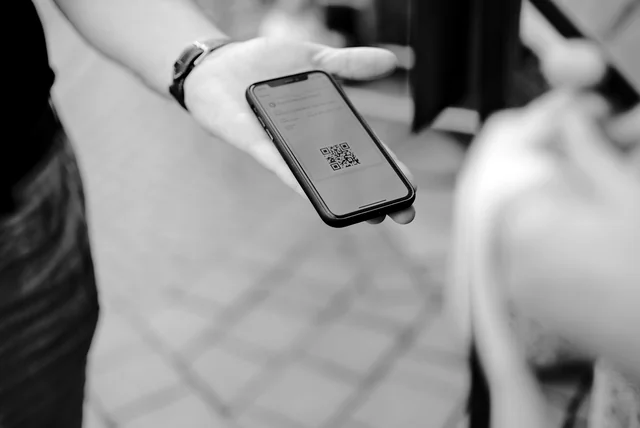
Alan’s email looked nothing like the clumsy scams of ten years ago. The spelling was perfect, because criminals now use AI to write their messages, and the NCSC has warned this makes phishing hard to spot for everyone, whatever their tech skills. The old “look for bad grammar” tell is dead, so judge the request instead. Scam emails lean on authority (a bank, HMRC, PayPal), urgency (“within 24 hours”), and emotion, which is panic in Alan’s case. Many now hide their dodgy link inside a QR code, a trick called quishing, because a square of pixels can’t be previewed the way a link can. Before trusting any site an email sends you to, learn how to check whether a website is legit, and treat every unexpected QR code as a stranger’s van door.
One Forward: report@phishing.gov.uk

Kelly’s trick was simple. Open the suspicious email, tap forward, and send it to report@phishing.gov.uk, which is the NCSC’s official reporting address, known as the Suspicious Email Reporting Service. You don’t need to be certain it’s a scam, because the NCSC asks you to send anything that feels off and will check it for you. Don’t click any links first. If your mail app refuses to forward it, a screenshot to the same address works. One exception matters: if the email is already sitting in your spam or junk folder, your provider has caught it, so leave it there. Texts have a sister service, and the same minute spent learning to report a scam text in the UK covers your phone too.
What Happens After You Press Send
Alan waited for a thank-you email that never came, and that’s by design. The NCSC says it acts on every message received but can’t tell you the outcome, so silence doesn’t mean your report vanished. Behind the scenes, analysts examine the email and the website it points to, then work with hosting companies to pull malicious pages offline. The numbers are startling. By July 2026 the service had received 58 million reports and removed 256,000 scams across 454,800 web addresses, which means Alan’s forward joined one of the biggest crowd-sourced defences in the country. Each takedown protects the slower-to-suspect person who would have clicked tomorrow. If you’ve spotted a dodgy site without an email attached, you can also report a scam website to the NCSC through a short online form.
The Report Button You Already Have

Your inbox has its own weapon, and Kelly made Alan practise it twice. In Gmail on a computer, open the message, click the three dots next to Reply, then choose Report phishing, and Google gets a copy to analyse. In the new Outlook, select the email, press Report on the ribbon, then Report phishing, which also blocks the sender. Apple users can forward a fake “Apple” email to reportphishing@apple.com, ideally using Forward As Attachment on a Mac so the technical headers travel with it, while ordinary spam in an iCloud inbox goes to abuse@icloud.com. These buttons train your provider’s filter, so the next copy dies before you see it. If scams keep flooding one address, it has probably leaked somewhere, so check if your email was in a data breach too.
Telling the Brand Being Faked
The real PayPal wants to see the fake one, and so does every brand scammers borrow. HMRC runs its own inbox at phishing@hmrc.gov.uk, and its official reporting page asks you to forward the email, delete it, and never include your own personal details in the report. Genuine HMRC messages only come from addresses ending hmrc.gov.uk, a detail that also helps you spot fake HMRC refund messages on your phone. Royal Mail takes suspicious emails, texts and branded websites at reportascam@royalmail.com. Amazon prefers scam emails forwarded as an attachment to reportascam@amazon.com, and PayPal asks you to send the whole email to phishing@paypal.com before deleting it. None of them will reply personally, but each report helps them warn other customers.
The Email That Says It’s Your Bank
The scariest scam email wears your own bank’s logo. It warns of a suspicious payment, then offers a helpful phone number or login link, and both belong to the criminal. The NCSC’s rule cuts through it: your bank will never ask you to supply personal information by email, full stop. So don’t reply, don’t tap, and don’t ring anything printed in the message. Instead, dial 159, the safe number that connects customers of 26 UK banks, from Barclays and Lloyds to Monzo and Starling, straight to their real fraud team; the call usually costs the same as a national-rate call. While you’re feeling organised, switch on two-factor authentication for your email and banking apps, because a stolen password on its own then becomes almost useless to whoever phished it.
If You Clicked or Typed Anything

Maybe you’re reading this with a sinking feeling because the link has already been tapped. Take a breath. On an up-to-date phone or laptop, a click by itself rarely infects anything; the real damage starts with what you type or install on the page that opens. Close it without filling in a single box, and don’t ring any number it shows. If you did enter a password, change it now from a device you trust, starting with your email account and then anywhere the same password is reused. Run a full antivirus scan, and keep the scam email itself as evidence for your report rather than deleting it straight away. There’s a calm, step-by-step guide in what to do if you clicked a scam link, written for exactly this ten-minute panic.
When Money Has Already Gone

Reporting the email is not enough once cash or card details have left your hands. Ring your bank first, through 159 or the number on the back of your card, so they can freeze the card and watch the account. Then tell the police’s national reporting centre: Report Fraud, the service that replaced Action Fraud in January 2026, at reportfraud.police.uk any time, or on 0300 123 2040, Monday to Friday, 8am to 8pm. You’ll get a crime reference number, which insurers and banks will ask for. In Scotland, report to Police Scotland on 101 instead. Wondering whether any of it helps? Our guide to what happens after you report to Report Fraud follows a report through the system, reference number and all.
Alan’s Tuesday, Sorted
Alan’s fake receipt ended its morning in three places: report@phishing.gov.uk, phishing@paypal.com, and his blocked-senders list. Total effort, four minutes of retirement. To report a scam email in the UK you don’t need to be technical, just faster to forward than you are to worry. The next dodgy message that lands, send it on before your toast pops, then delete it and enjoy breakfast. Somewhere, a scam website dies a little sooner because you did.
Frequently Asked Questions
Where do I report a scam email in the UK?
Forward it to report@phishing.gov.uk, the NCSC’s free Suspicious Email Reporting Service. If your mail app won’t forward it, email a screenshot to the same address instead.
Do you get a reply from report@phishing.gov.uk?
No. The NCSC says it acts on every message received but cannot share outcomes, so expect silence even when your report helps remove a scam website.
How do I report a phishing email in Gmail or Outlook?
In Gmail, open the message, click the three dots beside Reply, then Report phishing. In new Outlook, select the email, press Report, then Report phishing.
Should I report emails already in my spam folder?
No. The NCSC asks you not to report emails your provider has already moved to spam or junk, because the filter caught those. Report ones reaching your inbox.
What if I clicked a link in a scam email?
Close the page without typing anything, change any password you entered, run an antivirus scan, and call your bank on 159 if card details were shared.
Disclaimer: This article is general information, not financial or legal advice. Scams change quickly, so confirm details on official sources such as ncsc.gov.uk before acting. Figures correct as of September 2026.